The Backups page
What has been saved, what is scheduled, and where it goes.
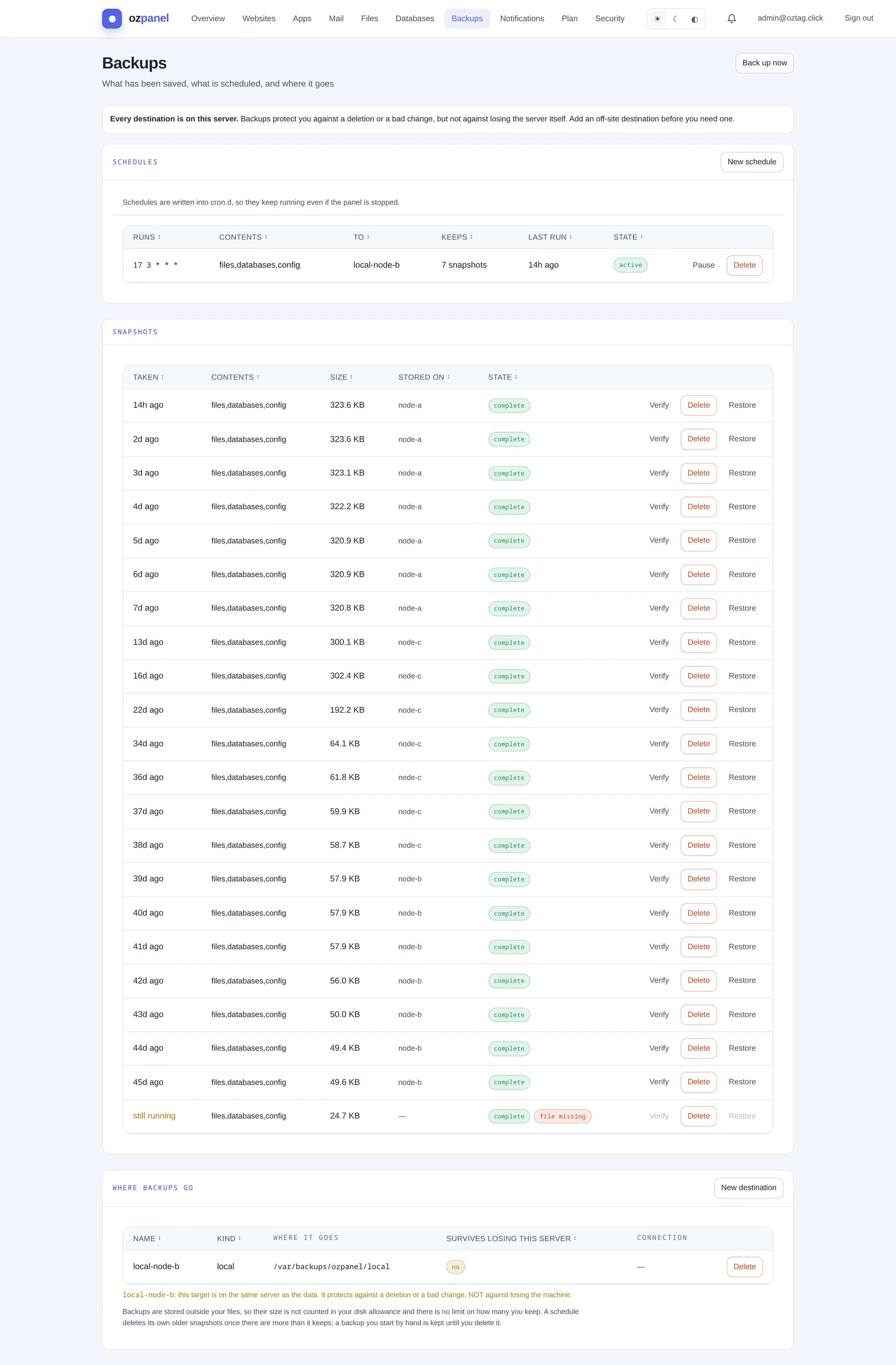 Backups. Schedules, snapshots, destinations.
| Box / button | What it does |
|---|
| Back up now | One backup, by hand. Needs a destination. Kept until you delete it. |
|---|
| Nothing is scheduled | Warning: nothing new is saved until a schedule is active. |
|---|
| Every destination is on this server | Warning: protects against mistakes, not against losing the server. |
|---|
Where backups go
Start here. A schedule needs somewhere to write.
| Box / button | What it does |
|---|
| New destination | Opens the form. |
|---|
| Name | Yours, e.g. offsite-s3. |
|---|
| Kind | a folder on this server or an SFTP server (off-site). |
|---|
| Where | Folder: a path. SFTP: e.g. backup@storage.example:/backups. |
|---|
| Port · Password (optional) | SFTP. Port default 22. No password: a key is made; install its public half on that server. |
|---|
| Test connection | SFTP. Nothing counts as backed up there until a test passes. |
|---|
| Copy public key | SFTP with a key. |
|---|
| Name · Kind · Where it goes · Survives losing this server · Connection | The list. yes only for off-site; a local one says so under the list. |
|---|
| Delete | Removes the destination. |
|---|
Backups do not count against your disk. No limit on how many you keep.
Schedules
| Box / button | What it does |
|---|
| New schedule | Opens the form. |
|---|
| When (cron) | Default 17 3 * * *: every day at 03:17. |
|---|
| To | Which destination. |
|---|
| Keep | How many snapshots. Default 7. Older ones deleted. |
|---|
| Runs · Contents · To · Keeps · Last run · State | The list. active or paused. |
|---|
| Pause · Resume · Delete | Per schedule. Runs from the server's cron, panel or not. |
|---|
Snapshots
| Box / button | What it does |
|---|
| Taken · Contents · Size · Stored on · State | Each backup. still running while it is being made. file missing, damaged, not reporting flag problems. |
|---|
| Verify | Reads it back against its checksum. Says if it can be relied on. |
|---|
| Restore | Shows the plan first: files and settings that will be overwritten. Restore everything to go. Changes since are lost. |
|---|
| Delete | Removes the archive. If it is the only copy, it is gone. |
|---|