Mail domains
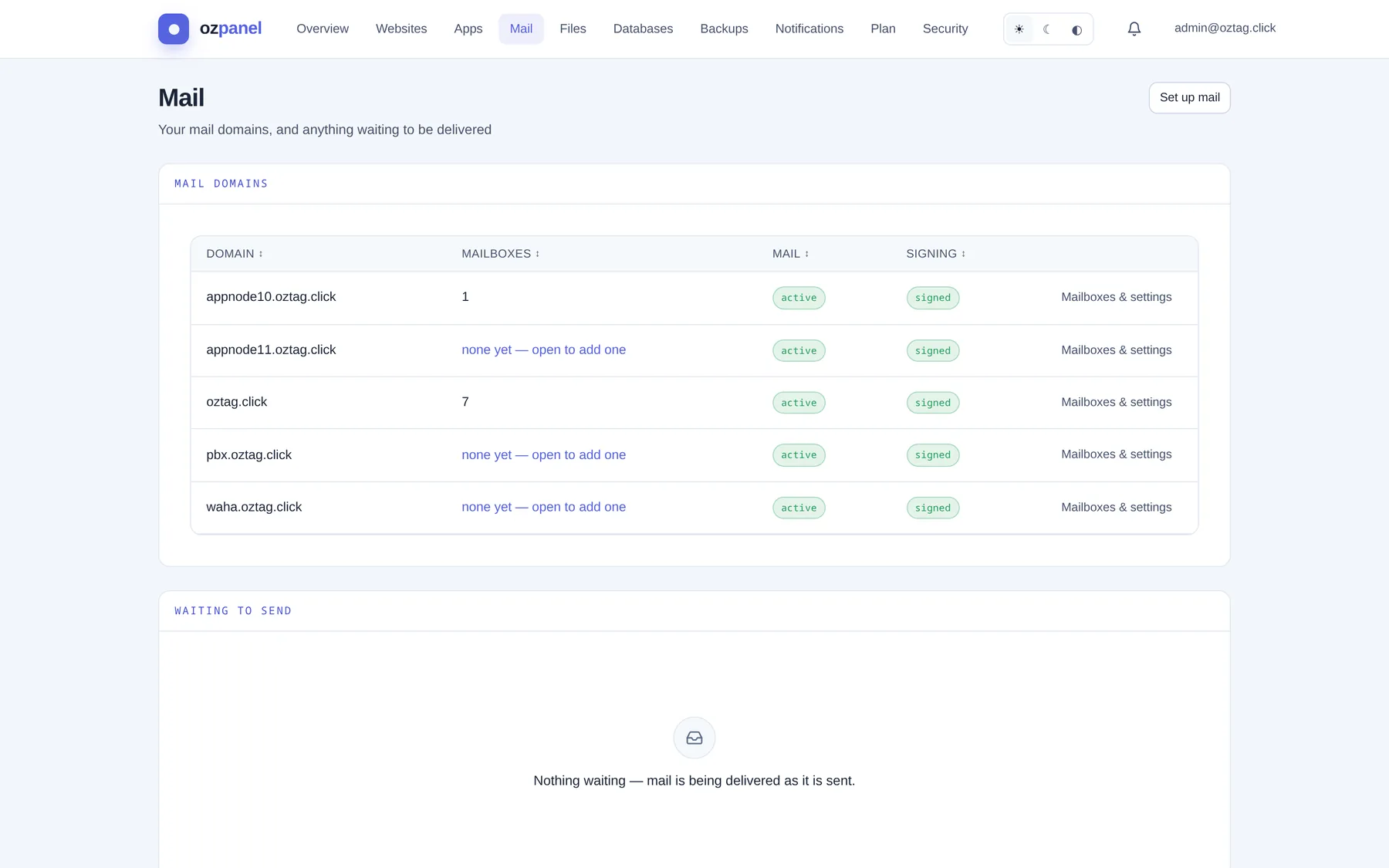
Your mail domains, and anything waiting to be delivered.
| Box / button | What it does |
|---|---|
| Set up mail | Switch mail on for one of your domains. See below. |
| Domain | Each mail domain. Click the row to open it. |
| Mailboxes | How many. none yet — open to add one. |
| active or off. | |
| Signing | signed: outgoing mail carries a DKIM signature. |
| Mailboxes & settings | Opens the domain. See Mail domain. |
Set up mail
| Box / button | What it does |
|---|---|
| Domain | Your domains without mail yet. |
| Set it up | Makes a signing key. Publishes MX, SPF, DKIM and DMARC records. Mail arrives once the domain's nameservers point here. |
Waiting to send
| Box / button | What it does |
|---|---|
| From · To · Size | Each message still waiting. |
| Waiting because | The receiving server's reason. |
| Nothing waiting | Mail leaves as it is sent. |
External forwarding
Forwarding to addresses outside the platform. Off until you switch it on.
| Box / button | What it does |
|---|---|
| Plan allows external forwarding | yes / no. No: ask your provider. |
| In force now | Whether it works right now. |
| Forward mail to addresses outside the platform | The switch. Each external copy counts toward your sending limit. |
| Default mailbox | One of your mailboxes. Keeps a forward that cannot be sent, and gets notices. Required before switching on. |
| Save forwarding settings | Applies. |
Held mail
Mail to your domains scored as spam and held. Each mailbox owner sees their own too.
| Box / button | What it does |
|---|---|
| To · From · Subject · Size | The held message. Click a row: headers and the start of the body, without delivering it. |
| Deliver | Sends it on. Teaches the filter: not spam. |
| Delete | Removes it. Teaches the filter: spam. |
Outbound queue
| Box / button | What it does |
|---|---|
| Retry delivery now | Asks every waiting message to try again. A message still refused simply waits again. |
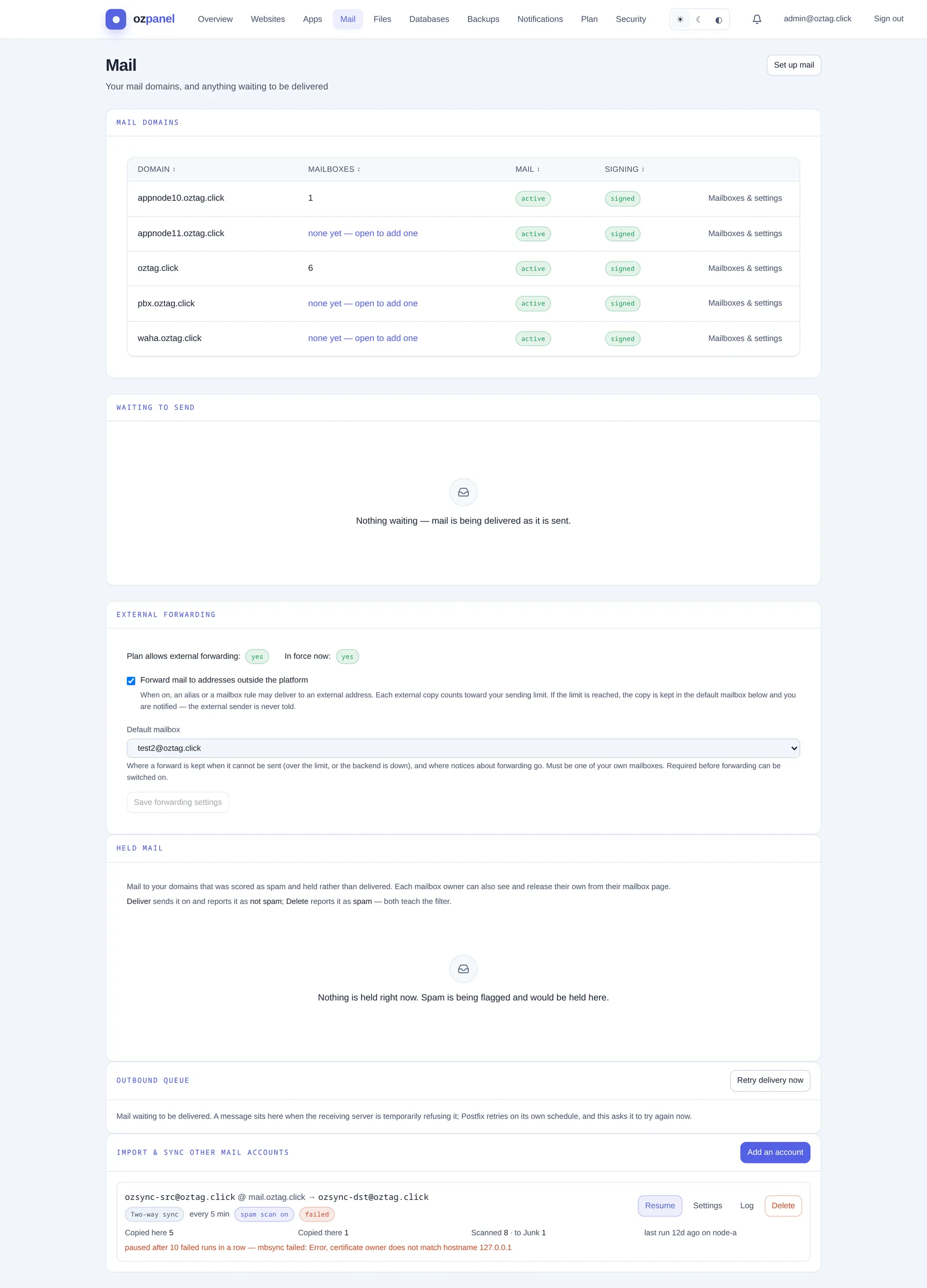
Import & sync other mail accounts
Bring mail in from Gmail, Outlook or any IMAP server, into one of your mailboxes.
| Box / button | What it does |
|---|---|
| Add an account | Opens the form. |
| Into which domain · Into which mailbox | Where the mail goes. The mailbox must exist. |
| Other account's IMAP server | e.g. imap.gmail.com. |
| Port | 993 = TLS, 143 = STARTTLS. Never unencrypted. Default 993. |
| Login · Password | The other account's. Gmail, Outlook: an app password. |
| One-time copy | Copies everything once. Deletes nothing. |
| Keep in sync (one-way) | Keeps copying new mail and read/flag changes in. Deletes nothing, anywhere. |
| Two-way sync | Mirrors both. Moves and deletions on either side copy across. Deleting here deletes there. |
| Check every (minutes, 5–1440) | For the two sync modes. Default 15. |
| Scan incoming mail for spam | Copied mail checked; spam goes to Junk. Never teaches the filter. |
| The other account's spam folder | Empty: found for you (Junk, Spam, [Gmail]/Spam…). |
| Connect | Starts it. |
| Account card | Source → mailbox, mode (Two-way sync…), interval, spam scan on, state. Copied here, Copied there, Scanned · to Junk, last run and node. After 10 failed runs in a row it pauses and shows why. |
| Run now · Pause · Resume | Per account. |
| Settings | Change mode, interval, spam scan, folder, or a new password. |
| Log | The last run's output. |
| Cancel · Delete | Cancel stops it; copied mail stays. Delete removes the connection and its saved password. |