Recent
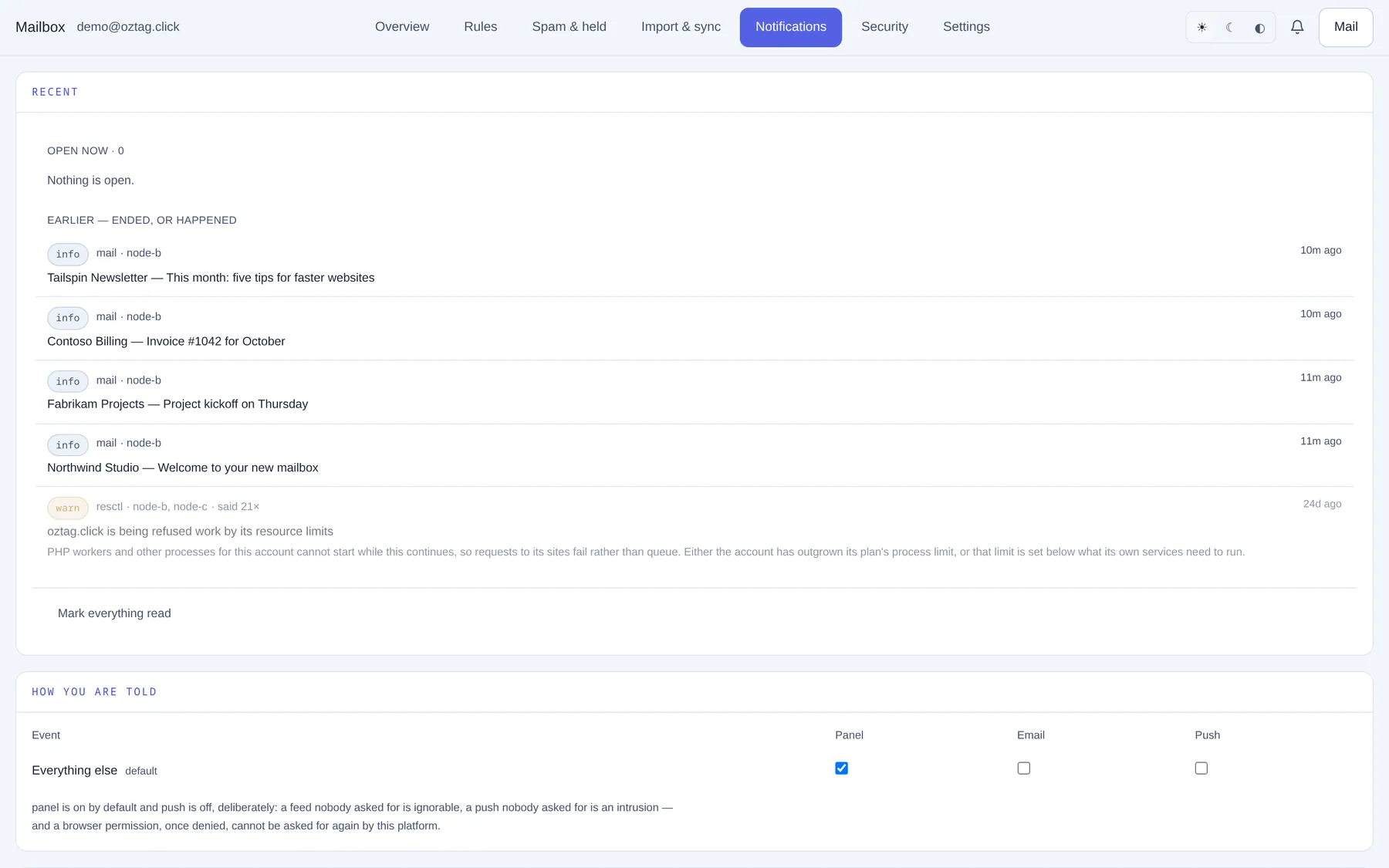
| Box / button | What it does |
|---|---|
| Open now | Problems still going on. |
| Earlier — ended, or happened | New mail and past notices: sender and subject, when. |
| Mark everything read | Clears the bell. |
How you are told
| Box / button | What it does |
|---|---|
| Event | Everything else covers what has no row of its own. default until changed. |
| Panel | The bell. On by default. |
| By email. Off by default. | |
| Push | Phone or desktop notification. Off by default; needs a device below. |
Install the app
| Box / button | What it does |
|---|---|
| Install | Shown when the browser can install it. Opens like an app, stays signed in. |
| QR code · Open it on your phone | Scan, sign in, then Share or menu → Add to Home Screen. |
| iPhone, iPad | Share → Add to Home Screen → Add. The only way notifications reach an iPhone. |
| Android | Menu ⋮ → Install app or Add to Home screen. |
| Desktop | Install icon at the end of the address bar, or menu → Install. |
New mail notifications
| Box / button | What it does |
|---|---|
| Status | allowed, blocked, not set up or not available. |
| Allow notifications · Turn on for this device | Asks the browser. One device at a time. |
| Send a test | A test notification to this device. |
| Blocked | Change it in the browser's site settings, by the address bar. Then reload. |
| Devices receiving notifications | Device and date added. Remove stops it. |