Right now
First page after sign-in. Account name on top, runs as your system user, status pill on the right.
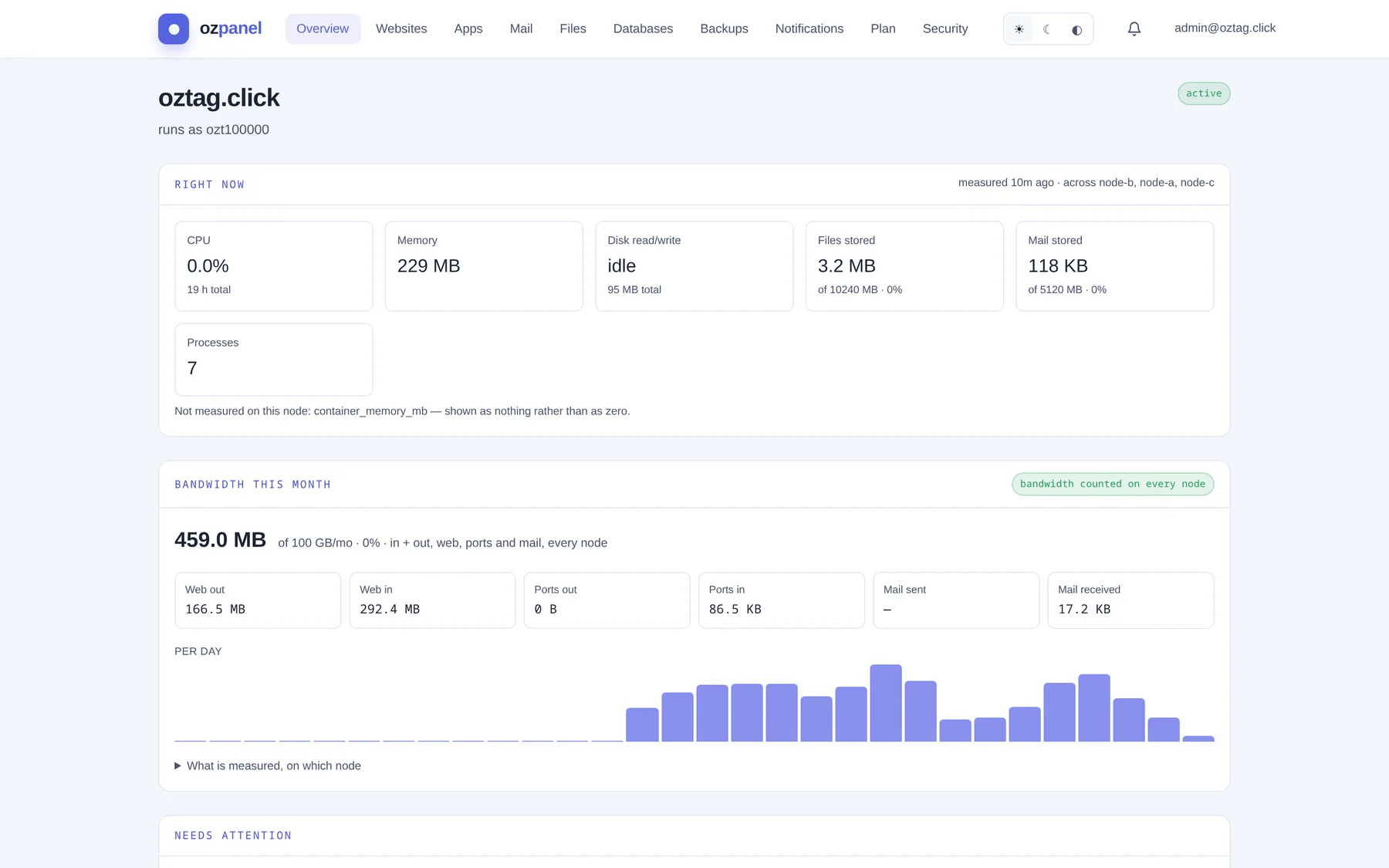
| Box / button | What it does |
|---|---|
| active / suspended | Account status. Suspended: no mail delivered, mailboxes cannot sign in. Files and mail kept. |
| measured … across … | When the figures were taken, and on which nodes. stale = old reading. |
| CPU | Share of CPU your account uses now. Below: total hours used. |
| Memory | Memory your processes hold now. |
| Disk read/write | Disk traffic per second. idle when quiet. |
| Files stored | Space your files use, against your plan. Turns amber at 80%, red at 100%. |
| Mail stored | Space your mailboxes use, against your plan. |
| Processes | How many processes run as your account. |
| Not measured on this node | Figures this node cannot read. Shown as nothing, never as zero. |
Bandwidth this month
| Box / button | What it does |
|---|---|
| Big figure | Traffic this month, in and out, every node. Against your monthly allowance. |
| Web out · Web in | Website traffic. |
| Ports out · Ports in | Traffic on extra ports your apps opened. |
| Mail sent · Mail received | Mail traffic. |
| Per day | One bar per day. Hover for the split. |
| What is measured, on which node | Opens a table: which counters work on which node. This figure is incomplete when one does not. |
Needs attention
| Box / button | What it does |
|---|---|
| all clear | Backups current, no mail held. |
| action / check | A line to act on. Click it to go there. |
| No successful backup on record | Nothing restorable yet. Go to Backups. |
| The last successful backup was N days ago | Shown after 8 days. |
| N message(s) are being held | Mail held as spam. Review under Mail → Held mail. |
Account protection
| Box / button | What it does |
|---|---|
| Two-factor authentication | on / off. Off: a password alone protects the account. Turn on under Security. |
| Signed in from | How many sessions, and the latest three. |
Against your limits
| Box / button | What it does |
|---|---|
| One bar per allowance | Used, out of what your plan gives. no limit when uncapped. |
| from your … | Where the limit comes from: the plan, or set for your account. |
| N limit(s) exceeded | Nothing is deleted. The next thing that needs more room is refused. |
Further down
| Box / button | What it does |
|---|---|
| Mail activity | Today and this hour: received, sent, deferred, rejected, bounced, spam blocked, forwarders. Sending against your limit. |
| Per domain: received, sent, average spam score, sending limit. | |
| Your apps | Same list as Apps. |
| Your DNS zones | Zones hosted here. Click one to open DNS. |
| Recent tasks | Jobs started for you: task, status, started. Cancel stops a running one. Done steps stay done. |
| Change log | Who did what, when. failed marks a refused change. |